WebChatKit - AI Customer Support Assistant for Your Website
Launch your AI website assistant in minutes

Add a 24/7 AI Customer Support Agent to Your Website

Answer your visitors' questions automatically using your own website and business information. Set up your AI assistant in minutes — no AI expertise required.

No credit card required
Ready in 2 minutes
15-day free trial
AI Assistant
Online • Answers from your data
👋 Hi! I can answer questions about this business. Ask me anything!
Do you offer refunds?
Yes! We offer full refunds within 30 days of purchase. You can request a refund by contacting our support team at support@example.com or through the contact form on our website.
Sourced from your business info
Type your question...

Your Website Gets Questions.
Your Team Can't Answer Them All.

Every day, visitors land on your website with questions. If they don't find answers quickly, they leave.

What are your prices?
What are your business hours?
Do you provide this service?
What is your refund policy?
How does delivery work?
How can I contact you?
What services do you offer?

Instead of making visitors search through pages or wait for a reply, let WebChatKit answer instantly.

Your Website Already Has the Answers. Let AI Deliver Them.

WebChatKit uses the information you provide about your business to automatically answer visitor questions. No need to build an AI system from scratch.

AI uses your business-provided information

The assistant answers using only the data you give it — your FAQs, services, policies, and details.

Visitors ask questions naturally

Your visitors type questions in plain language and get helpful, relevant answers instantly.

Available 24/7, no manual effort

Your AI assistant works around the clock — even when your team is offline or on vacation.

Your Business Information
FAQs, services, pricing, policies
WebChatKit AI
Processes and understands your data
AI Assistant on Your Website
Answers visitor questions automatically
Visitor Gets Instant Answer
24/7, no waiting required

Three Steps to Your
AI Assistant

No coding skills needed. No complicated setup. Just follow three easy steps.

1
Add Your Information

Provide the information WebChatKit should use to answer visitors. Type or paste your FAQs, business details, services, and policies.

2
Create Your AI Assistant

WebChatKit turns that information into your website assistant. No AI expertise or technical setup required.

3
Add It to Your Website

Copy one line of code and paste it into your website. Your AI assistant is live instantly.

Create My AI Assistant — Free
// Just paste this into your website:

<script
  src="https://webchatkit.com/widget.js?key=YOUR_KEY"
></script>

That's literally it. One line of code.

See Your AI Assistant in Action

Here's how a typical visitor conversation looks with a WebChatKit AI assistant.

Your Business AI Assistant
Online • Powered by WebChatKit
👋 Hello! I'm here to help answer your questions. What would you like to know?
What services do you offer?
We provide website development, e-commerce development, and custom software solutions. Each service includes a free consultation to understand your specific needs.
Sourced from your business info
How can I contact you?
You can reach our team through email at hello@example.com, by phone at (555) 123-4567, or through the contact form on our website. We typically respond within 2 hours during business hours.
Sourced from your business info
Type your question...

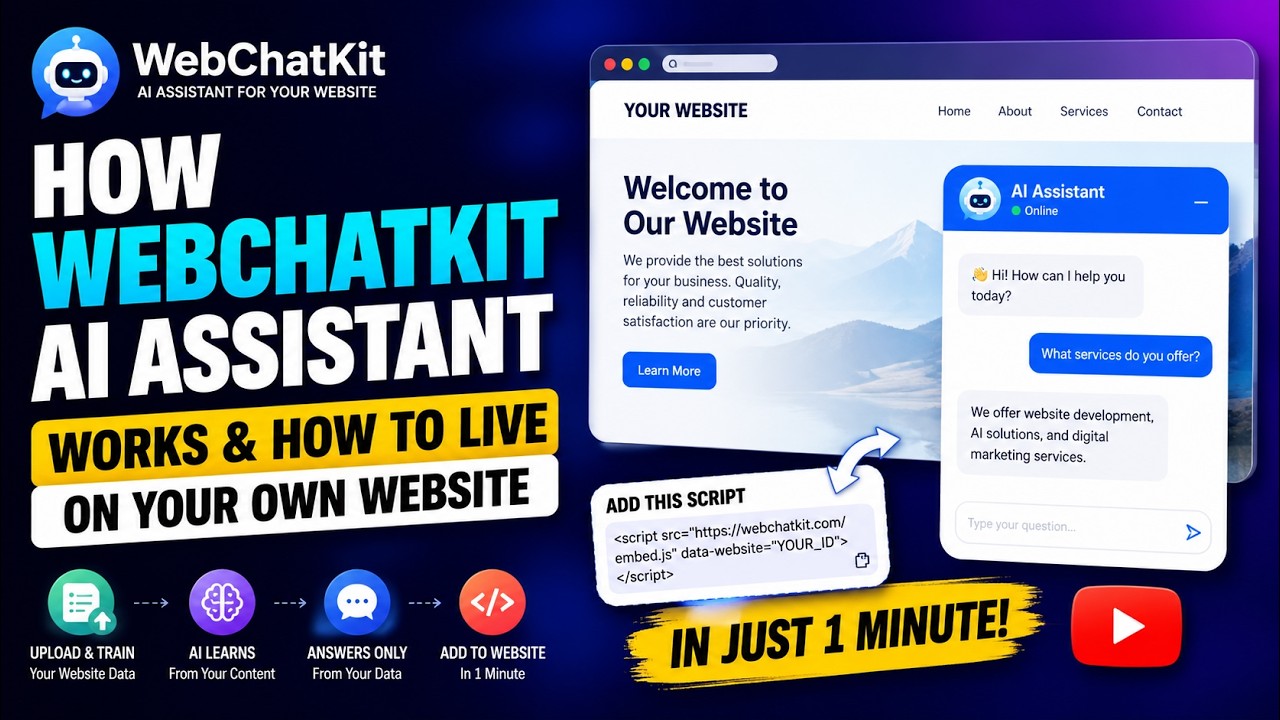
Watch a Full Setup Walkthrough

See how to set up your AI assistant and embed it on your website — from start to finish in just a few minutes.
webchatkit.com/demo
WebChatKit Demo Video — How to setup AI chatbot on your website
Click to watch
Full setup walkthrough • Step-by-step guide

Ready to try it yourself?

Create My AI Assistant — Free

Built for Websites That Get Customer Questions

If your website visitors ask questions, WebChatKit can help answer them automatically.

Small Businesses

Answer common customer questions 24/7 without hiring additional support staff.

E-commerce

Help visitors understand products, policies, shipping, and returns instantly.

Agencies

Offer AI assistants as an additional service to your website clients.

SaaS Companies

Answer questions about products, features, pricing, and documentation.

Professional Services

Help visitors understand your services, process, and policies.

Service Businesses

Answer questions about availability, pricing, locations, and services.

Why Choose WebChatKit?

Practical benefits that make adding AI support to your website simple and affordable.

Simple Setup

Get an AI assistant running without building an AI system from scratch. Paste your info, copy one line of code, done.

Uses Your Information

The assistant answers using the information you provide. It sticks to your facts — not random internet data.

24/7 Availability

Visitors get answers even when your team is unavailable. Nights, weekends, holidays — your assistant is always on.

Built for Websites

Designed specifically for adding an AI assistant to any website with one line of code. WordPress, Shopify, Wix, or custom.

Affordable

AI-powered customer support accessible to small businesses. Plans start at $8/month after a free 15-day trial.

See What Visitors Ask

View every question your visitors asked. Find out what the AI couldn't answer so you can improve your content.

Simple, Transparent Pricing

Start with a 15-day free trial. No credit card required. Cancel or upgrade at any time.

Free Trial

Try everything for 15 days.

Free / 15 days
Start Free Trial
Full access to all features
No credit card required
Cancel anytime

Starter

Perfect for small sites and blogs.

$8 / mo
Start Free Trial
Up to 1,000 words data
1,000 questions / month
Standard AI Model
1 Website Widget
Most Popular

Pro

For growing businesses and startups.

$15 / mo
Start Free Trial
Up to 2,000 words data
2,000 questions / month
Standard AI Model
1 Website Widget

Frequently Asked Questions

WebChatKit is a service that lets you add an AI-powered chat assistant to your website. The assistant answers your visitors' questions automatically using the business information you provide — like your FAQs, services, pricing, and policies.

You provide the information directly. After signing up, you type or paste your business details into the WebChatKit dashboard — things like your services, business hours, pricing, return policy, and frequently asked questions. The AI uses only this information to answer visitor questions.

Minimal. Adding the assistant to your website requires pasting one line of code (a script tag) into your website's HTML. If you use WordPress, Shopify, Wix, or similar platforms, you can typically paste it into a custom code block or header section. No programming required beyond that.

Most users are up and running within a few minutes. Create an account, paste your business information, and add the embed code to your website. The AI assistant starts working immediately.

Yes. WebChatKit works with any website — WordPress, Shopify, Wix, Squarespace, custom-built sites, or any platform that allows you to add a script tag to your pages.

You can provide any text-based business information: FAQs, service descriptions, pricing details, business hours, return/refund policies, contact information, product descriptions, and more. The AI uses this text to answer visitor questions.

Yes. You can cancel your subscription at any time. There are no long-term contracts or cancellation fees.

Yes. Every new account gets a 15-day free trial with full access to all features. No credit card is required to start.

After the 15-day free trial ends, you can choose a paid plan (Starter at $8/month or Pro at $15/month) to continue using the service. If you don't subscribe, your AI assistant will stop responding to visitor questions until you activate a plan.

After creating your account and adding your business information, you'll receive a single line of code (a script tag). Paste this code into your website's HTML — typically before the closing </body> tag or in your platform's custom code section. The chat widget will appear on your website automatically.

Give Your Website an AI Assistant Today

Start free and see how WebChatKit can answer your visitors' questions automatically.

Create My AI Assistant — Free
Quick setup · No AI expertise required · No credit card needed
webchatkit.com/demo
How to Setup WebChatKit — Full Walkthrough
WhatsApp 0340 1006434